 Episode 42
· 19:33
Anouk: Welcome to Fusion talk with Anouk and Steve.
Steve: We've been through the chaos.
Anouk: We have been through the chaos.
Steve: Yes. We started with the chaos and we now want to try to fix it.
Anouk: Let's tell people just this, they might have jumped straight into this episode and this is episode two.
Steve: It's true of our little miniseries about prompting in organisations.
Anouk: Organisational prompting.
Steve: No. So the chaos part is where everybody has their own prompts. Not sharing them, uh, unwilling to share, not knowing how to share, not knowing where to go and not telling everybody about what they are doing with AI.
Anouk: Because it's been like 20 years ago, people invented the intranet, but it was not collaborative until SharePoint came along. So we're at the point now where AI is not really collaborative. You can build an agent and actually workflow is a little bit less collaborative. So, yes, chaotic prompts, because individuals have them and we're talking about organisations.
Steve: Yes, we do. So what we did, we built something.
Anouk: We did. So we were aware that people build a prompt and then the only way we can move it around is by emailing it or putting it on teams chat or something along those lines. Uh, and there's a little bit of learning about sharing these things, but we thought, how can we centralise them?
Steve: Yes. And because most. We did, and because most of the organisation already have tools to centralise a lot of things, we thought, oh, why
Anouk: not use those tools and build a prompt library?
Steve: Yes.
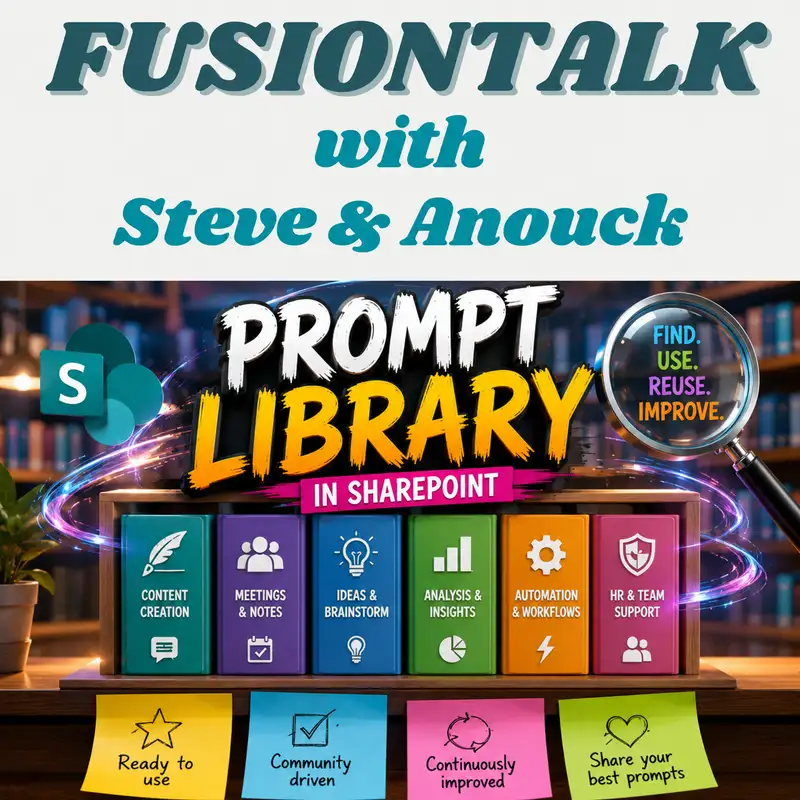
Anouk: So episode two, Building a prompt library. Listen, you're only going to get 15 minutes or so here. This is a series of short and sweet podcasts, unless we really get into it, and then it might go on for 17 minutes. But, uh, there are some sessions around some of the collab days and we'll post where they are, where we actually do the full hour, uh, on, uh, building a prompt library. But that's what we thought. Well, just a minute. If we need to be able to centralise good quality AI prompts, where would we put them? We'd put them into a library or a list on SharePoint.
Steve: Yes, it is. So, um, we built that list with a prompt in it.
Anouk: And when you say we,
Steve: we both did it.
Anouk: Did we? I remember that coding. I don't do it very often.
Steve: You didn't have anything doing with the coding, but you did mean the brainstorming, the list thinking and all of that.
Anouk: That's what we do. Uh, I get the business side, I do the design and some of the architecture work and then that clever lady puts it together and that's what we do in the session as well. We show people how it's built, how it's hung together and why it's so important. So what actually is a prompt library supposed to deliver?
Steve: It should be deliver an inspiration of AI prompts that you can use in your organisation that people already been using.
Anouk: I love the word inspiring. Prompts.
Steve: Yes.
Anouk: Yeah, prompts. That worked for me and it did this and it did that and hey, this is what I put in. And by all means you can use it.
Steve: It's not because the prompt works for you that somebody else gets the results back. So it's inspiring them of how you did something then that they can change things in, tweak things so that it works for them.
Anouk: Yeah. And it then provides a place that focuses on prompts. Um, so what actually is it? Without getting too technical, what did we actually build?
Steve: We built a SharePoint list with a few columns and on top of that we built a nice search page where we can easily find them back, looking a little bit more attractive than just a normal list with all fields next to each other.
Anouk: And we will eventually buy it, build an agent on there so you can prompt for prompts.
Steve: Yes, something like that. You just made that up.
Anouk: Um, I did, I did. Your face was. Oh, what does it mean? Oh, yes, I like it. Prompt for prompts. So, yeah, it makes sense to put a little chat box on there, but that's a future thing. Maybe we'll add a few slides because it sounds like a fun thing. So let's talk about what it actually requires then, to build a prompt library. So when we was doing the design, we know the object. The object is a series of words and spaces or whatever that when you cut and paste it with a slight modification probably, uh, into an AI chat box, it will give you a, ah, reasonable response. So it has purpose and I think that's one of the main metadata, um, items against this item is its purpose. So if people are searching for it or if people are prompting for it, you know, I need a prompt that will tell me, uh, any actions from yesterday's meetings, for example, then that's the purpose of it. So the purpose would be to listen all the actions from the meetings in the last 24 hours. So purpose is definitely one of those areas and things that need to be defined around the metadata.
Steve: Yes, purpose and I think also, um, a little bit more like the team. That is where the prompt is belonging
Anouk: to, who would get them. So team specific, like financial prompts.
Steve: Yes. Or sales prompts. Or IT prompt.
Anouk: Yeah, good call. Good. So yeah, it's main division of use or something. That's an interesting one. Not thought about that. But you're right. I mean the sales guys. I've got a big sales project going on where we've. Every salesperson has co pilot because it's a no brainer folks if you haven't worked it out yet. They're the team that will get the best value, uh, out of uh. AI is the sales team. But yes, good call, good call. The department is being used within. Yeah.
Steve: It doesn't mean that somebody of it doesn't have the access to sales prompts, but the value giving back for it is less than for sales. But they can just look them up and can learn from it.
Anouk: No, that's true. It also means you can have a distinct audience as well. So what are the prompts that work for me filtered by my department and everything else. So that would work. That's true.
Steve: You can make a game of it.
Anouk: I was just thinking the same. I was thinking of rewarding people for adding their prompts in. So I was thinking let's, let's close this talk with talking about gamifying the uh.
Steve: Is that our sixth topic in this miniseries?
Anouk: Future of the organisation? That may well be. Yes. You need me now to write it on that piece of paper so we know when we get to number six what it's about. Gamification. All right, but that's fine. So the other real key things are things like ownership. So who actually owns the prompt? Because if there's some changes to the prompt that you think is a good idea, then you can go to the person that put it in there and say hey, rather than me creating another prompt of the same purpose or same type, can we modify yours? Because I think it will add this great value.
Steve: Yes.
Anouk: Yeah, I know we're all coughing away here.
Steve: Sorry.
Anouk: I feel better now. Too many podcasts. That's what this water is here for. How thoughtful of me.
Steve: No, ownership is one thing exactly. For updates.
Anouk: Yep.
Steve: But also if you just not sure about the prompt, you can ask for more information about it in an owner and it's starting the internal discussion in your company so that people don't always look at the screen but talk to each other.
Anouk: No, that's true. And also if somebody happened to be in a meeting and they say no, I've got a prompt for that, then you can just go and search for their name and find out what prompts they've been using and where they're at. So yes, ownership is important.
Steve: A nice feature is ratings. Rate a prompt.
Anouk: Rates the prompt from shit to brilliant.
Steve: Yeah, yeah, yeah, something like that.
Anouk: But it actually should be more subtle than that. This didn't work for me.
Steve: Yes.
Anouk: So. Because, uh, not that it didn't work for me or it added let value. So maybe the rating is. How valuable did you find this?
Steve: Maybe it's something like, um, sometimes when you are on certain websites and you read something about their or something that you have to question how value was this for you? Something like that.
Anouk: Yeah. You could have. You go with the stars and stuff like this. But so it's not just about how good it was or whether I got great results. It's about how valuable it was for me. Because value is what this is all about. Yeah, I mean, uh, I, I've just been recently using AI to create, um, some workshops, um, some workshop outlines. Um, and uh, I needed a short version and a long version. Uh, and so the value is really being able to create a prompt that said, look, these are still the six important points, but I need it in, you know, 10% of the size. But don't lose these points. Uh, and where somebody might just go, hey, reduces down in size. But there's a prompt there that would show people and improve them. And that's the other thing about this is it's great for adoption and that's
Steve: what we need to do with all of this AI.
Anouk: It's about growing awareness, of course. So versioning, I think that's important.
Steve: We talked about that in our previous podcast as well. And I'm not sure about versioning because every prompt is a learning experience and is slightly different.
Anouk: Yeah. So you might actually just not bother with version. Just turn it off on the library.
Steve: You can't turn it off, but that's the technical part. But just don't say keep versions or something like that or keep all the differences. Have a, uh, tracker of what has changed in that prompt instead of versioning, maybe.
Anouk: I'm not going to go in there. I think you can turn versioning off, but you're the expert. But so, uh, do you worry about that later? Anyway, so versioning is not. But actually it's an interesting point. A version two or uh, a version three might just be an improvement on it and you might need to have both.
Steve: Yep.
Anouk: So yeah, it's part of the governance, which is a bit later on down the line. So we'll come back to that, I'm sure. Uh, I'm definitely for that. Um, uh, so I think the idea of having this Library is pretty key. It's not just about centralising the knowledge in the organisation, it is about encouraging other people to be able to, um, use prompts that have been successful for others and develop their own and improve the ones that they can see.
Steve: But there is one thing to success to all of this. Go. If you launch this library, be aware, make sure that there are already a lot of prompts in. If you give them an empty prompt library, they will not fill it. They need to see examples.
Anouk: That's true actually, isn't it? I think that, uh. Did we not read an article about that somewhere? Yeah, it doesn't matter. Um, but yes, that's true. So, you know, go and talk to people that you can see are using. So if you are in it, go and have a look at M M365 copilot in the admin section or add your administrative to say, hey, how many people are using copilot? And then just sit there and go, hey guys, what is your favourite prompt?
Steve: You can go for the favourite prompts or you can cheque in the admin what they are doing.
Anouk: That is true too. Yes, you can list them out, but you don't necessarily get that personal human in the loop value. Which, which I think is true. But you can also start offering a prize. You know, hey, look, you know, anybody that creates a prompt gets put into a drawer. Um, or uh, anybody that creates a prompt and it's for the next six months, the most reused prompt, whatever the
Steve: most value, click us on the buttons, you get the prices because you got
Anouk: to fill the library somehow. You are right. If it's people see an empty library, nothing will happen. I, I know we can put six in, but those six will be my prompts, you know, and, and let's be fair, a prompt is personal. Yes, but then it's how it can be used by somebody else. Um, and I think that's why category. And I know we've not talked about category of prompt, but the category is quite interesting and quite important because A, I'm trying to find a prompt that will work out my expenses from my email inbox. You know, that is, you know, you put it down as email comma, finance
Steve: expenses, finance expenses, a lot of things.
Anouk: So categories are important. Uh, and then monitoring the usage. So we talked about that, although we didn't put it into the session where we actually have a separate list which allows people to sort of. Where it's tracking how many people have access to the list. It's tracking some kind of feedback as A separate list, um, so that you can kind of use that to drive some of the other ones forward. Uh, manage metadata. I was thinking that earlier when we were talking about categorising it, and metadata should be managed metadata that suits the organisation. Um, so that a. Your searchability is better, um, in terms of where you're at. But also it means you can start to group them together.
Steve: Just basically a prompt library is going to do what you want to do with all of your documents.
Anouk: It is, isn't it? But then again, libraries and lists. But yeah, yeah, but I think categorising it is important. Would you then have the same manage metadata for your documents as you would for your prompts?
Steve: Would you put in attachments with results of the outcome of a prompt in the list?
Anouk: Oh, I can see there's so much usage for it, but so much work associated with it.
Steve: True.
Anouk: So would anybody do it? Cut and paste your results and post it here and reference the prompt? I don't know. But, uh. But it just prompts the idea. Yeah, I tried not to say prompt again, but I couldn't. But it just prompts the idea that maybe as part of the feedback session you actually put a, uh, um, number of words that say, hey, this worked for me. And it managed to do this and that, and I added this instead. And it did the following.
Steve: Yeah, I don't. I think if you don't have any idea of what prompt is going to do or what the results can be, it's going to be harder for people just starting with AI to trust it and to run it.
Anouk: Yeah, but it's free use. I know we touched on this in the first episode, which is cool, but it is free use. It's. I wonder what that prompt does for me. That might be a nice marketing campaign. Hey, which of these prompts makes the best use for you as part of your internal communications? So I like, um, our own AI, which prompted us some questions around these, uh, podcasts. So from a fun perspective, is it a prompt library or is a prompt library just SharePoint wearing AI glasses? So would you use AI to generate better prompts within the list?
Steve: I'm going to try.
Anouk: So we could have original prompt and then you could have a couple of extra fields in the same extra columns that actually going to try? Yeah, somebody's got a toy to play with. When are you going to be able to do that with all the work you have to do with your charity event?
Steve: Uh, probably at night between 2 and 3,
Anouk: but it's not a bad idea. Isn't it? Somebody puts a prompt in and then AI looks at it and says, actually, how do you improve this prompt as a prompt? I know we're going to talk about it on governance and creativity, but let's also talk about when would we allow people to put information into this library? All right. Whether they should feed it through AI first before they cut and paste the prompt in? M. Oh, God. This is prompt, prompt, prompt. But there was good fun. There we go. But let's talk about why we're doing this. Okay, so we talked about consistency. The whole point about removing chaos is to get some consistency. So people are seeing the value out of a certain number of prompts.
Steve: That's one also, uh, creating awareness and learning from each other.
Anouk: Correct.
Steve: Continual improvement, knowledge sharing, all of those things. So I think that's the main goal that a lot of organisations need.
Anouk: Yeah. Ah, that's true. Should we have standard prompts? So should a process within an organisation create standard prompts? So let's say there's a process that you have to fill out your timesheet every month. All right. So should you then have a prompt that said, hey, go through my calendar and work out how many meetings I have and put them in this format so I can cut and paste that into the timesheeting system?
Steve: Um, I like the id, but you feel that coming.
Anouk: I did.
Steve: Um, then you only have your meetings, not all of your other work you are doing. And in my role that won't work. But if you are fixed in an organisation, that can help.
Anouk: I don't believe that. Because you have a timesheeting system to track your work for your invoicing as a consultant.
Steve: Yes.
Anouk: And my team, we've just taken over jira, the new JIRA in the cloud, and there they now put all the time they spend on all their tickets as well as their meetings, because then that automatically fills out their timesheets. So anyway, but. But this is where we go with it, isn't it? Um, I got one more suggestion and I'm not looking for an answer. Maybe we'll catch it later. Uh, so I'm going to say my goodbyes immediately after this and allow you to do the same. So do we take the prompts from the admin, actually pre fill the list and do we actually have it as an automated process as part of the governance and creativity? All right, next subject. The humans in the prompt.
Steve: That's going to be an interesting one.
Anouk: Yeah. Made in human brains. Ciao, guys.
Steve: Goodbye,
Anouk: Sam m.

Listen to FusionTalk using one of many popular podcasting apps or directories.